
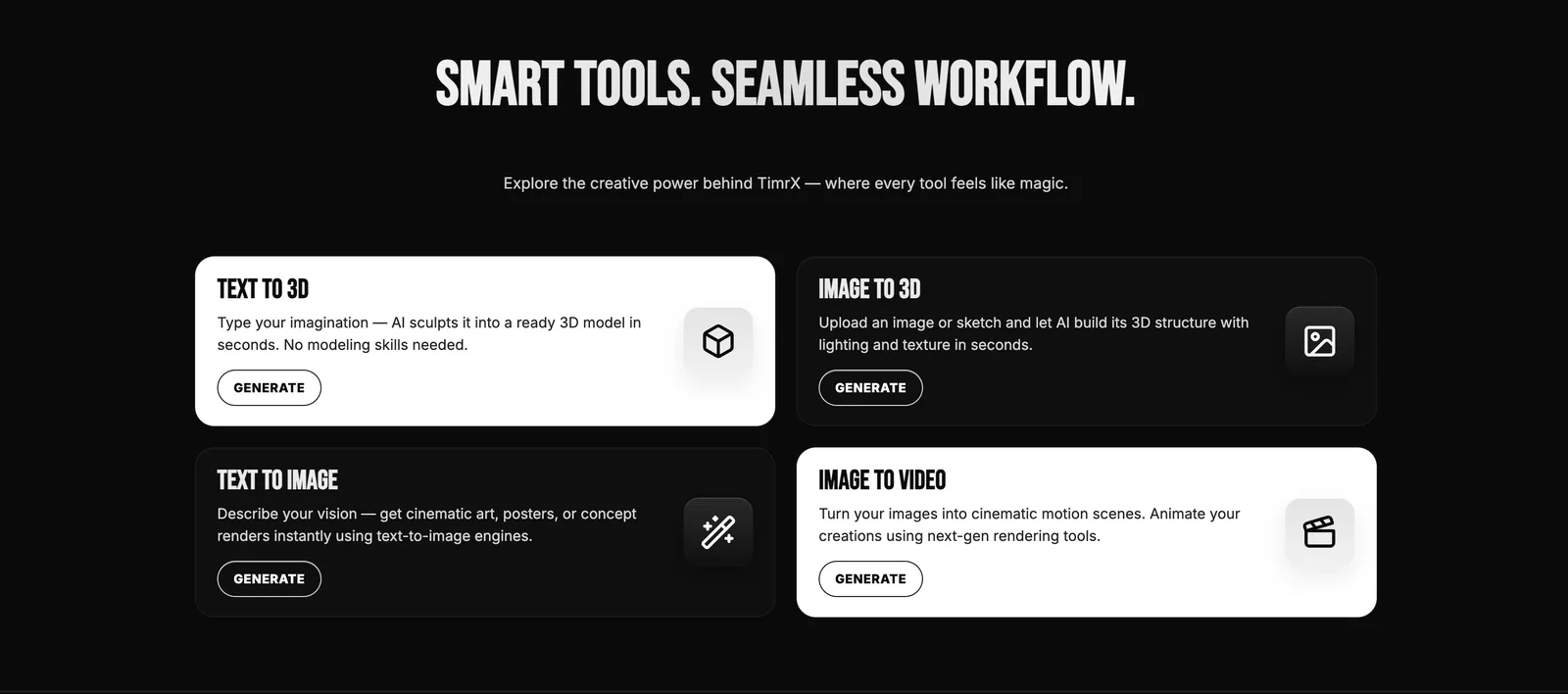

AI video generation has crossed a threshold. A year ago, "text to video AI" mostly meant blurry, short clips—impressive for demos, but not viable for serious creative work. Now, with Seedance 2.0 and browser-based tools like TimrX, we're looking at workflows that rival traditional video production for speed and flexibility. Seedance 2.0 isn't just a new model—it's a generative video AI that gives creators, developers, and studios real control over prompt-to-video pipelines, all from the browser. In this technical review, I'll break down how Seedance 2.0 works, advanced prompt engineering, practical workflow design, and how TimrX brings all these capabilities together for anyone who needs cutting-edge AI video tools.
What is Seedance 2.0?
Seedance 2.0 is a state-of-the-art AI video generator that builds on latent diffusion and transformer-based models. Unlike earlier versions or basic text-to-video systems, Seedance 2.0 introduces multi-modal conditioning, temporal consistency, and a prompt interface that's actually usable by creators (not just researchers or devs). Where earlier models struggled to keep scenes coherent frame-to-frame, Seedance 2.0 is designed for longer sequences, sharper motion fidelity, and a much richer prompt vocabulary. Compared to Veo 3 and its contemporaries, Seedance 2.0 offers more granular prompt control, better browser integration (especially on platforms like TimrX), and supports both text-to-video and image-to-video workflows. For details on its evolution and hands-on usage, see Text-to-Video Generation with Seedance 2.0.
How AI Video Generation Works (Technical Overview)
Here's the thing: modern AI video generation relies on a blend of latent diffusion (for spatial realism) and transformer-style architectures (for temporal coherence). Seedance 2.0 takes a sequence of latent frames—think compressed representations of video frames—and predicts the next step, conditioning on text, images, and motion cues. Temporal consistency is enforced through attention modules that track features across frames, minimizing flicker and drift. Frame synthesis uses a combination of denoising and upsampling stages, often with optional guidance from reference images or motion sketches. Conditioning is key: prompt engineering (text or image) directly shapes scene composition, motion, and even camera movement. This is what lets Seedance 2.0 outperform earlier prompt-to-video generation models in both control and output quality.
Types of AI Video Generation
Seedance 2.0 supports several core workflows for generative video AI. The big three are:
- Text-to-video: Enter a prompt, receive a video sequence. Great for storyboards, creative ideation, and rapid prototyping.
- Image-to-video: Start with a still image—Seedance animates it based on a text prompt or motion cue. Handy for turning concept art into animated scenes.
- Prompt chaining: Sequence multiple prompts or images to create multi-shot videos or evolving scenes. This is where advanced workflows get interesting.
Prompt chaining, in particular, lets you storyboard scenes or direct transitions—imagine a product shot that zooms out to reveal a city, or a character who changes expression mid-clip. This flexibility is what makes Seedance 2.0 and TimrX stand out for custom pipelines. If you're curious about chaining and hybrid workflows, see AI Creative Workflows: Combining Image, Video, and 3D Generation.
Advanced Prompt Engineering for Seedance 2.0
Prompt engineering is the real differentiator in AI video generation. With Seedance 2.0, the prompt structure goes beyond "a cat riding a bike": you can specify scene composition, camera movement, mood, even motion style. Based on my experience, most successful creators adopt a structured prompt format:
- Core subject: What or who is in the scene?
- Action/motion: What should move, and how?
- Scene/mood: Lighting, time of day, style.
- Camera: Angle, movement, transitions.
- Temporal cues: Start/stop actions, speed, transitions.
Let's look at concrete examples:
- Cinematic: "Aerial tracking shot of a red sports car racing along a coastal highway at sunset, cinematic lighting, smooth camera pan left to right, 8 seconds."
- Product: "Rotating closeup of a smartwatch on a reflective surface, neon blue lighting, slow-motion, 4-second loop."
- Animation: "Cartoon-style fox jumping over a log, bright forest background, camera follows action, energetic motion, 6 seconds."
For deeper techniques (like chaining prompts for multi-part scenes), I recommend Prompt Engineering for AI Generation: A Practical Tutorial. I’ve found that adding explicit temporal control—e.g., "camera zooms in over 3 seconds, character smiles in last 2 seconds"—can dramatically improve output consistency. It's not magic, but it's the closest you’ll get until we see true real-time generative video AI.
Practical Workflow — From Prompt to Video
Let’s walk through a real workflow using TimrX and Seedance 2.0. This is the same sequence I use for client-facing projects or prototyping animated assets:
- Draft a structured prompt. Be explicit: subject, motion, camera, style. Example: "Aerial shot of a futuristic city at night, neon lights, flying cars, smooth camera movement, 10 seconds."
- Generate the base video using the AI Video Generator in TimrX. Review the initial result for coherence and alignment with your prompt.
- Refine using an image input if needed. This is where you upload a concept render or storyboard frame to anchor the video’s style and composition.
- Iterate with prompt tweaks or parameter adjustments (motion strength, seed, duration). TimrX makes it easy to fork and compare versions, right in the browser workspace (as shown below).
- Export the final video or optimize it for target platforms (e.g., YouTube, TikTok, or game engines). TimrX supports direct export and basic post-processing.
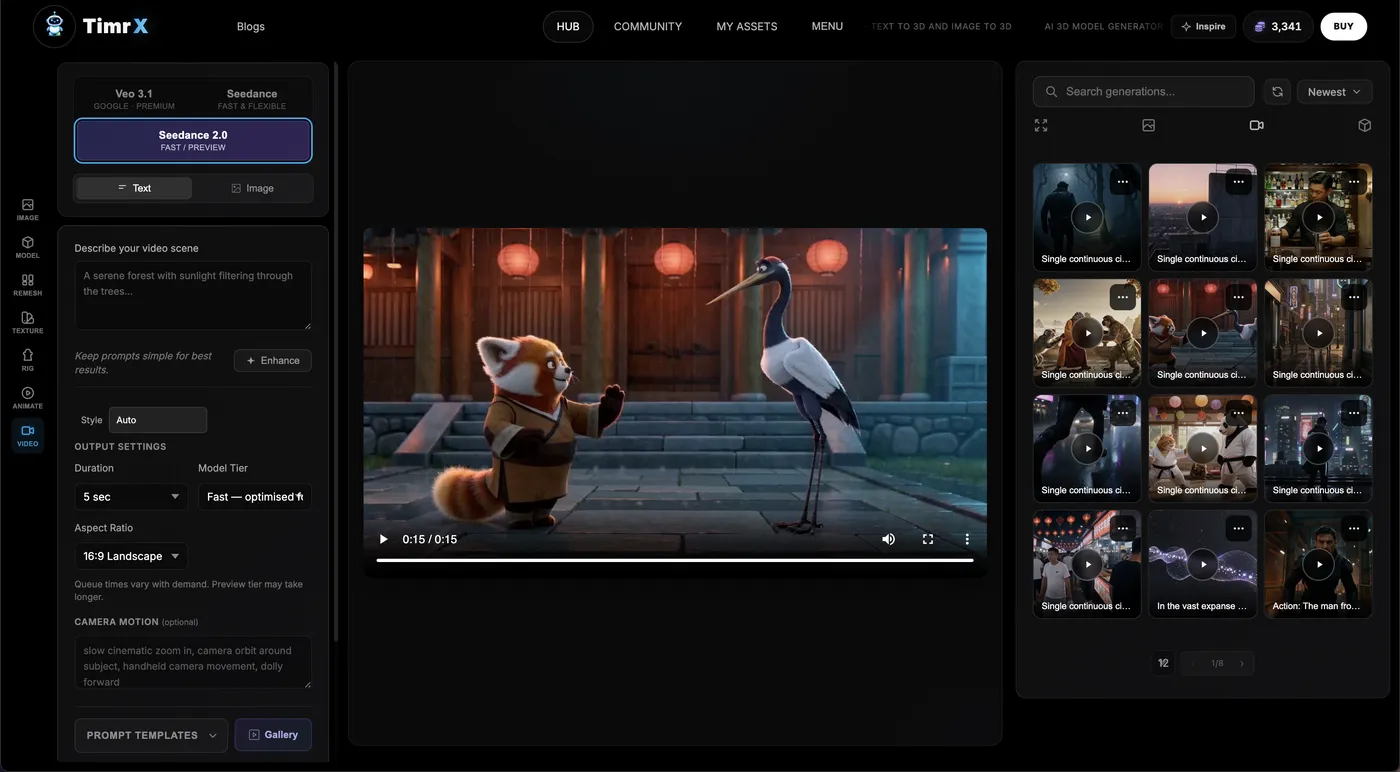
This workflow eliminates the need for local GPU rigs or complex Python scripts. Everything happens in-browser, with instant access to previous generations, prompt histories, and integrated creative tools. If you need a full creative pipeline (video, image, 3D), TimrX’s /hub and /archive pages centralize your assets and projects for easy handoff and version control.
Using TimrX for AI Video Generation
TimrX isn’t just a wrapper for Seedance 2.0—it’s a browser-based platform for the entire AI video pipeline. Here’s how it supports modern creator and developer workflows:
- Text-to-video: Craft prompts and generate videos directly in the AI Video Generator workspace.
- Image-to-video: Upload image assets, combine with prompts, and create animated versions of concept art or product shots.
- Creative pipelines: Chain multiple generations (video, image, 3D) via project boards on /hub, archive outputs for later reuse or collaboration on /archive.
- Integrated blog and tutorials: The /blogs section covers everything from basic prompt tips to advanced creative workflows—check out TimrX: The All-in-One AI Platform for Text-to-Video, Image-to-3D, and AI Content Generation for a broad overview.
I've used plenty of browser-based AI video tools, but TimrX offers the cleanest integration of Seedance 2.0 with prompt management, asset libraries, and export features. It aligns with how real creators work: fast iteration, in-browser preview, and the ability to hand off assets to 3D or print workflows (see /3dprint).
Real-World Use Cases
So what does this actually mean for creators and developers? Here are four real pipelines where Seedance 2.0 and TimrX are already in use:
- Content creators: YouTubers and TikTokers use text-to-video to create intros, transitions, or storyboards from raw prompts. Rapid iteration means a 10-second branded intro can go from concept to video in under 15 minutes.
- Game developers: Image-to-video generation is used for animating concept art, NPC idle animations, or cutscene prototyping—no need to wait for manual keyframing.
- 3D artists: Combine video and 3D workflows by generating animated reference clips, then exporting stills or 3D frames for further modeling. See From AI Image to 3D Model: Inside the TimrX Creative Pipeline.
- Marketing teams: Generate product highlight reels, explainer animations, or motion backgrounds without hiring a motion graphics artist. Prompt-to-video means quick turnarounds for pitches and campaigns.
I’ve worked with teams who saved days on video mockups by chaining prompt-driven clips, and artists who use Seedance 2.0 for moodboards or visual research. The versatility is the main draw—if your workflow involves video at all, generative AI isn’t just a toy anymore.
Seedance 2.0 vs Other AI Video Models
It’s tempting to lump all AI video generators together, but there are real differences. Here’s how Seedance 2.0 stacks up:
- Seedance 2.0: High realism, granular prompt control, robust browser integration (especially on TimrX), flexible chaining for custom pipelines.
- Veo 3: Strong on text-to-video, but less flexible for prompt chaining and hybrid workflows. Browser support varies.
- Other tools: Many offer good one-shot generations, but suffer from frame inconsistency, limited motion fidelity, or require local install/scripts.
My verdict: If you need both control and scalability, Seedance 2.0 (especially via TimrX) is the best approach for creator and developer workflows. For more on the technical tradeoffs, see AI Video Generation: How Modern Generative Models Are Changing Content Creation.
Limitations and Challenges
No model is perfect. Seedance 2.0 (like all generative video AI) still struggles with:
- Temporal consistency: Complex scenes or long clips may show subtle jitter or morphing.
- Rendering artifacts: Fast motion, occlusion, or scene changes can break realism.
- Compute cost: High-fidelity, long-duration videos are resource-intensive, especially at higher resolutions.
- Prompt sensitivity: Small prompt tweaks can cause big changes; reproducibility isn’t always guaranteed.
These aren’t dealbreakers, but they do require a workflow mindset: rapid iteration, frequent review, and sometimes post-processing. With TimrX, at least you’re not fighting your environment—it’s all browser-based, so you can focus on creative output, not system setup.
Future of AI Video Generation
Looking forward, the next wave of generative video AI is all about multimodal and real-time pipelines. I expect we’ll see tighter integration of video and 3D workflows (think: prompt to animated, printable 3D assets), faster inference for real-time editing, and deeper control via multi-modal prompts (voice, pose, sketch). Platforms like TimrX are already moving in this direction—see the growing overlap between AI Image Generator, video, and 3D print tools in the same workspace. The creative pipeline is becoming more fluid, and browser-based AI video tools are leading the charge.
Conclusion
Seedance 2.0 is a major leap for AI video generation—real-world workflows, advanced prompt engineering, and browser-based pipelines are no longer hypothetical. With TimrX, creators and developers finally have a practical, scalable way to experiment, iterate, and deploy generative video assets. If you haven’t tried Seedance 2.0 or the TimrX AI Video Generator yet, now’s the time. This isn’t just the future of content creation—it’s the present. As always, the best way to learn is to experiment yourself, and don’t be afraid to push the boundaries of what AI video tools can do.
FAQ
- What is Seedance 2.0?
Seedance 2.0 is an advanced AI video generator model that enables prompt-based and image-based video creation with high realism and temporal consistency. - How does AI video generation work?
It uses diffusion and transformer models to synthesize video frames from text or image prompts, ensuring scene coherence and motion fidelity. - What is text-to-video AI?
Text-to-video AI lets you generate video sequences from structured text prompts, specifying subjects, actions, and cinematic details. - Can AI generate videos from images?
Yes. Image-to-video workflows animate still images using AI models like Seedance 2.0, guided by additional prompts for motion and timing. - What tools support AI video workflows?
TimrX, along with Seedance 2.0 and other browser-based AI video generators, supports end-to-end AI video workflows entirely in-browser.
Sources
- [1] The Ultimate Guide to Writing Technical Blog Posts - DEV Community
- [2] How to Write a Technical Blog That Gets Read | Simple Talk
- [3] How to write a great technical blog post | by Sashko Stubailo - Medium


Comments 0
Be the first to comment on this post.